Izuran on their Macs
The assistant app, linked to your server instead of the cloud.
Private AI Server · Powered by Izuran Pro
Everything stays in the box.
A private AI server built on Mac Studio or Mac mini. It runs open-weight models on your own network, with agent workflows that are governed, logged and reviewable.
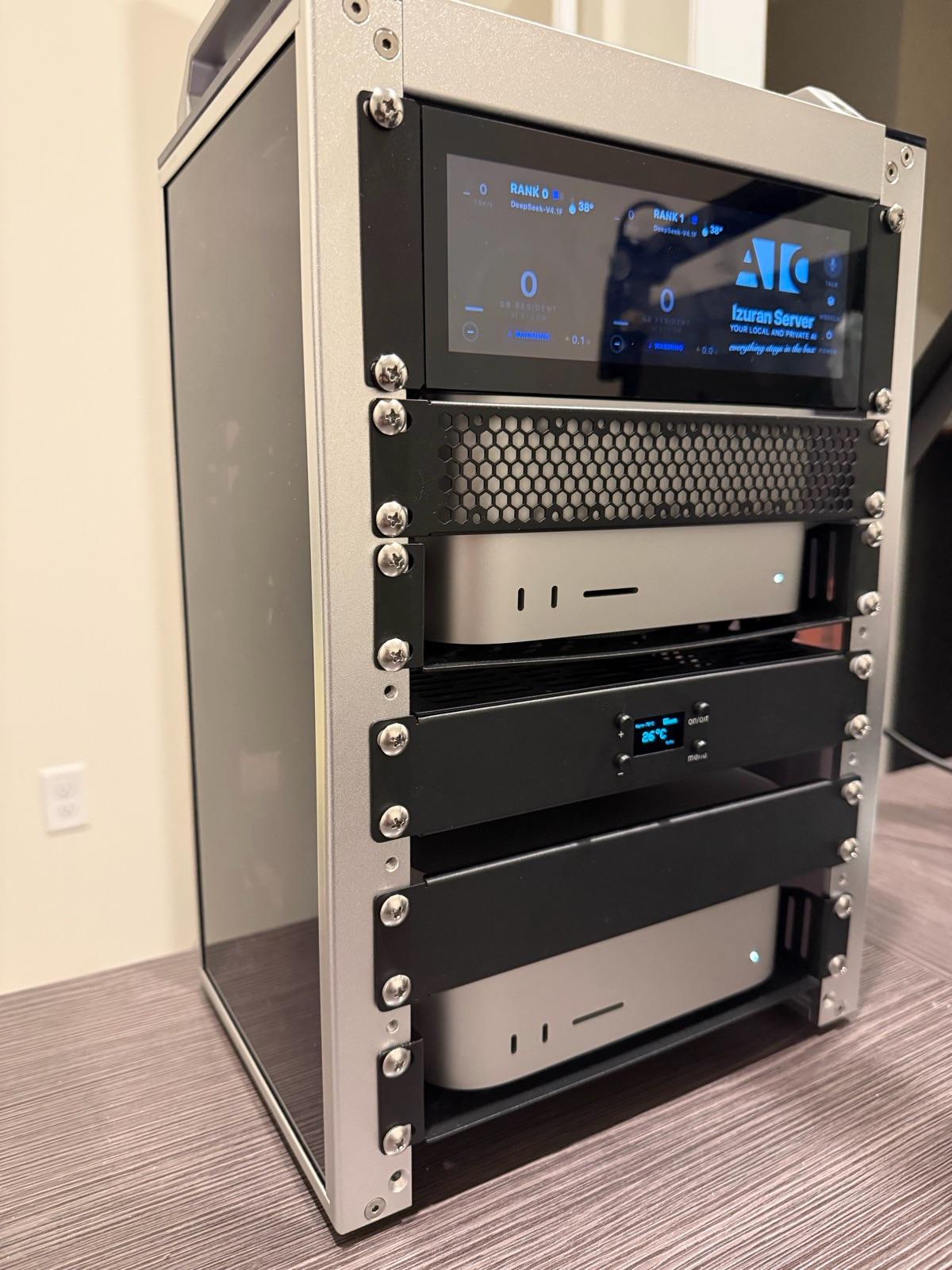
A Mac Studio or Mac mini, or two Mac Studios joined by a Thunderbolt 5 cable, running Izuran Pro, our own server software. It serves open-weight models to your team on your network and runs the agents that do the work.
The assistant app, linked to your server instead of the cloud.
Text or voice, straight to the server over your network or your Tailscale network. No relay service.
Through an OpenAI-compatible API on your network, over TLS, with a key per client.
Your prompts, documents and conversations are processed and stored on the server in your office. The models run there too. The server only connects outside your network for the reasons below, and it keeps a network log your team can read.
Offline switch. One setting limits the server to your own Macs and devices, update checks included. Your team can open the network log any time to see what connected where.
Three sizes, the same software. Memory decides which models fit, so we start from your use case, not a spec sheet.
The largest models run split across two Mac Studios working as one cluster appliance. It's all headless: no monitor or keyboard needed after setup.
Every agent is governed like a new employee. It works in the folders you give it, and changes outside them need approval. Anything risky waits for a person, and the riskiest actions need Touch ID or a password. Every conversation is logged on the server.
How the controls work →It's plug and play. The server arrives with the latest Izuran Pro and your models already installed. We stay up to two hours to set it up with you and walk your team through it.
Support is by phone, email or in person, and remotely through your Tailscale network when you approve it. Software updates install themselves, checked against our signature, and a failed update rolls back.
Pricing depends on configuration and support. We'll go through it on the qualification call.
A request doesn't guarantee a trial. Trials are limited, available only in our delivery area, and offered when the use case is a fit.